
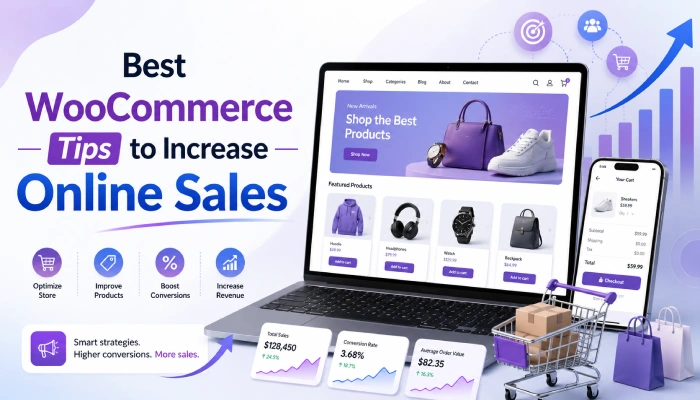
Running a WooCommerce store is exciting, but getting consistent sales is not always easy. Many store owners add products, set prices, and wait for customers, but online selling needs more than just a good product. Your website should make shopping simple, fast, and trustworthy. That is why learning the right WooCommerce tips to increase online sales can help you improve your store and get better results.
At AM Digitalz, we help businesses build conversion-focused WooCommerce stores that are easy to use, fast, and designed to turn visitors into customers. A good online store should not only look professional but also guide customers smoothly from product browsing to checkout.
Make Your Store Easy to Use
A customer should never feel confused while browsing your store. Your product categories, menu, search bar, and checkout process should be simple and clear. If visitors cannot find what they need quickly, they may leave and buy from another website.
Use clean navigation, proper product filters, and clear product names. A smooth shopping experience is one of the most important WooCommerce tips for increase online sales, as customers are more likely to buy when everything feels easy.
Improve Product Pages
Your product page is where most buying decisions happen. A good product page should have clear images, helpful descriptions, pricing, availability, and a strong call-to-action button.
Do not just write basic details. Explain how the product helps the customer, what makes it useful, and why it is worth buying. Add size guides, usage instructions, FAQs, or customer reviews if needed. Better product pages are powerful WooCommerce tips to increase online sales because they reduce doubts and help customers feel confident.
Use High-Quality Product Images
Online customers cannot touch or test your products, so images matter a lot. Use clear, bright, and professional-looking photos from different angles. If possible, show the product in real use so customers can imagine owning it.
Poor images can make even a good product look low-quality. Strong visuals are simple but effective WooCommerce tips to increase online sales because they build trust and make products more attractive.
Speed Up Your WooCommerce Website
A slow website can lose customers before they even see your products. People do not like waiting, especially when shopping online. If your WooCommerce store takes too long to load, visitors may close it and move to another store.
Use fast hosting, compress images, remove unnecessary plugins, and keep your theme lightweight. At AM Digitalz, we focus on performance-friendly WooCommerce development so stores can load faster and provide a better shopping experience. Website speed is one of the most practical WooCommerce Tips to Increase Online Sales because a faster store can improve user experience and conversions.
Make Checkout Simple
A complicated checkout process can stop customers from completing their orders. Keep the checkout form short and only ask for the information you really need. Offer guest checkout, multiple payment options, and clear shipping details.
Also, show the total cost before the final step. Hidden fees can break customer trust. A smooth checkout is one of the most valuable WooCommerce tips to increase online sales because it helps reduce cart abandonment.
Add Trust Signals
People buy from websites they trust. Add customer reviews, secure payment badges, a return policy, delivery information, contact details, and business information. These small details help customers feel safe before placing an order.
You can also show real testimonials, product ratings, and social proof. Trust signals are important WooCommerce tips to increase online sales because customers need confidence before sharing payment details online.
Use Discounts and Offers Smartly
Discounts can increase sales, but they should be used carefully. You can offer first-order discounts, bundle deals, free shipping, seasonal offers, or limited-time promotions. These offers can encourage customers to buy faster.
However, do not discount everything all the time. Too many discounts can make your products look less valuable. Use offers with a clear purpose, such as increasing average order value or bringing back old customers.
Optimize Your Store for Mobile Users
Most people browse and shop from their phones. If your WooCommerce store does not look good on mobile, you may lose many customers. Your buttons, product images, menus, and checkout form should work perfectly on all screen sizes.
Test your store on different mobile devices and make sure the buying process is smooth from start to finish.
Keep Improving Your Store
WooCommerce success does not happen in one day. You should regularly check your store performance, product pages, traffic sources, and customer behavior. See which products sell well, where customers leave, and what can be improved.
Small improvements can bring big results over time. Keep testing your headlines, images, offers, and checkout process to increase your online sales.
Conclusion
WooCommerce gives you many tools to build a successful online store, but the real growth comes from improving the customer experience. Make your store fast, simple, trustworthy, and easy to buy from. When customers feel comfortable, they are more likely to place an order and return again.
By applying these tips consistently, you can turn your WooCommerce store into a stronger sales machine and grow your online business with confidence.