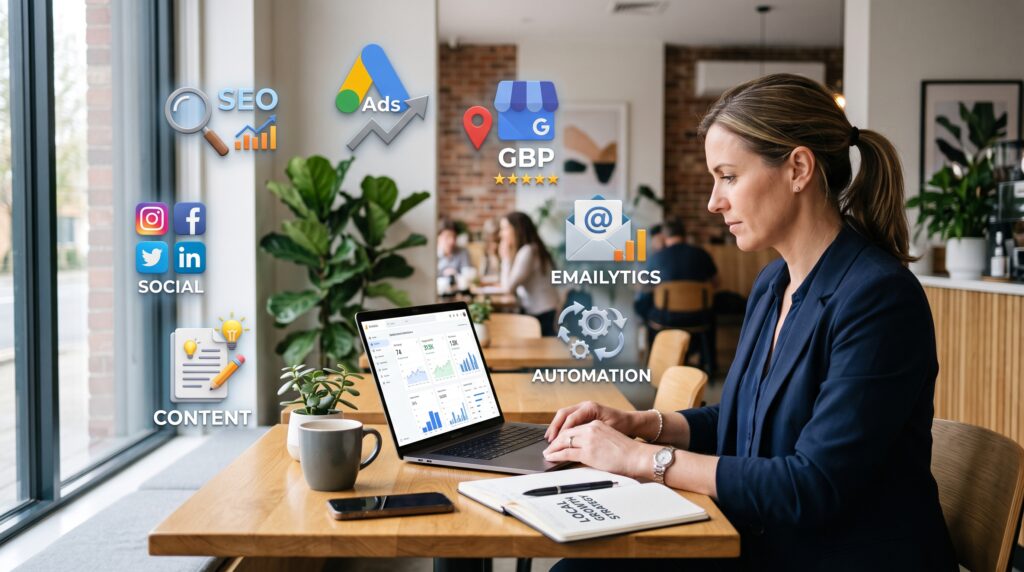


Before hiring a digital marketing agency, conducting a thorough website audit is essential to ensure your online presence is optimized and ready for growth. A comprehensive website audit checklist helps you identify strengths and weaknesses across key areas such as speed, SEO, mobile design, content quality, and analytics. This self-audit not only prepares you to choose the right agency but also maximizes the impact of their services.
At AM Digitalz, we recommend every business perform a detailed review of their website before engaging with a digital marketing partner. Our expertise has shown that a well-audited site leads to more effective campaigns and better ROI. This guide covers a practical website audit checklist to help you evaluate your site confidently and thoroughly.
1. Website Speed and Performance
Site speed is critical for user experience and SEO. Slow-loading pages increase bounce rates and reduce conversions. Use tools like Google PageSpeed Insights, GTmetrix, or Pingdom to assess your website’s loading times.
- Check desktop and mobile speed scores separately.
- Identify large images or files that slow down your site.
- Evaluate server response times and hosting performance.
- Ensure caching and content delivery networks (CDNs) are implemented properly.
Improving speed before hiring an agency ensures they can focus on growth rather than fixing basic issues.
2. Mobile Design and Responsiveness
With the majority of users browsing on mobile devices, your website must be fully responsive and user-friendly on all screen sizes.
- Test your site on multiple devices and screen sizes to ensure consistent experience.
- Check for readable fonts, appropriately sized clickable buttons, and easy navigation.
- Use Google’s Mobile-Friendly Test tool to identify and fix mobile usability issues.
A mobile-optimized site improves engagement, accessibility, and search engine rankings.
website audit checklist: Practical Strategy and Key Decisions
3. SEO Basics and On-Page Elements
Performing an SEO audit is a crucial part of your website audit checklist. Check these on-page elements carefully:
- Title tags and meta descriptions: Ensure they are unique, descriptive, and include relevant keywords.
- Headings (H2, H3): Properly structured and containing the focus keyword naturally.
- URL structure: Clean, descriptive URLs with keywords that reflect page content.
- Alt text on images: Descriptive and keyword optimized for accessibility and SEO.
- Internal linking: Logical and relevant links between pages to boost SEO.
- Content keyword usage: Balanced and natural inclusion of focus keywords without stuffing.
Also, verify that your site has an XML sitemap and robots.txt file correctly configured to aid search engine crawling.
4. Service Pages and Content Quality
Review your service pages carefully as they are key conversion points.
- Are service descriptions clear, benefit-focused, and tailored to your target audience?
- Is the content free from jargon and easy to understand?
- Do pages include testimonials, case studies, or proof of expertise to build trust?
- Is the content regularly updated, accurate, and free from errors?
High-quality content builds trust and supports your digital marketing efforts effectively.
5. Calls to Action (CTAs)
Effective CTAs guide visitors toward desired actions and conversions.
- Check that CTAs are visible, compelling, and use clear, action-oriented language.
- Are CTAs placed strategically on pages, especially service and landing pages?
- Test different CTA formats such as buttons, banners, and inline links for maximum impact.
Strong CTAs increase lead generation and conversion rates significantly.
6. Forms and Lead Capture
Forms are vital for collecting leads and customer information efficiently.
- Test all forms for functionality, responsiveness, and ease of use.
- Ensure forms are mobile-friendly and quick to complete on any device.
- Check if form fields are appropriate, minimal, and not overwhelming to users.
- Verify integration with your CRM or email marketing tools for seamless lead management.
Effective forms improve user experience and lead quality, boosting your marketing efforts.
7. Analytics and Tracking Setup
Proper tracking is critical to measure your marketing success and make data-driven decisions.
- Verify Google Analytics is installed correctly and collecting accurate data.
- Check Google Tag Manager setup for managing various tracking codes efficiently.
- Ensure conversion goals and events are defined and tracked properly.
- Review any eCommerce tracking or custom event tracking for completeness.
This part of the strategy often benefits from experienced execution. The AM Digitalz specialist help with website audit checklist page explains how planning, delivery, and ongoing improvement can work together.
Without accurate analytics, optimizing campaigns becomes guesswork and less effective.
8. Advertising and Campaign Setup
If you run paid campaigns, audit your ad accounts and landing pages for alignment and effectiveness.
- Review Google Ads, Facebook Ads, or other platforms for correct tracking and pixel implementation.
- Check that landing pages align with ad messaging and keywords to maintain consistency.
- Assess ad copy relevance and call-to-action consistency with your website.
Optimizing ads and landing pages ensures better ROI from your paid marketing efforts.
9. Website Security
Security affects user trust, compliance, and SEO rankings.
- Confirm your site uses HTTPS with a valid SSL certificate.
- Check for security plugins, firewalls, and regular updates protecting your site.
- Review backup procedures and update schedules to safeguard data.
- Scan for malware or vulnerabilities regularly and address issues promptly.
A secure site protects your brand reputation and customer data effectively.
10. User Experience (UX)
Good UX keeps visitors engaged, reduces bounce rates, and encourages conversions.
- Evaluate navigation ease, menu structure, and intuitive site flow.
- Check for clear, visually appealing layout and design consistency.
- Test site search functionality if available for user convenience.
- Look for accessibility features to accommodate all users, including those with disabilities.
Improving UX increases satisfaction, retention, and overall website performance.
Common Mistakes to Avoid During Your Website Audit
The AM Digitalz blog also groups useful follow-up material under AM Digitalz Website Audit resources for easier reference.
- Ignoring mobile responsiveness and focusing only on desktop experience.
- Overlooking page speed issues that can drive visitors away.
- Keyword stuffing or neglecting SEO basics in on-page elements.
- Using generic or outdated content without regular updates.
- Neglecting proper form testing and lead capture integration.
- Failing to set up accurate analytics and conversion tracking.
- Overlooking website security measures and backups.
- Ignoring user experience factors like navigation and accessibility.
Frequently Asked Questions (FAQ)
What tools can I use for a website audit checklist?
Popular tools include Google PageSpeed Insights, GTmetrix, Google Mobile-Friendly Test, SEMrush, Ahrefs, and Screaming Frog SEO Spider. These tools cover speed, SEO, mobile usability, and technical issues comprehensively.
How often should I perform a website audit?
Conduct a full audit at least twice a year or before major marketing campaigns. Regular smaller checks help maintain ongoing site health and performance.
Can I do a website audit checklist myself?
Yes, many elements of the audit can be done using free tools and manual checks. However, professional audits provide deeper insights and strategic advice tailored to your business needs.
Why is website speed important for SEO?
Faster websites provide better user experience, reduce bounce rates, and are favored by search engines, improving rankings and visibility.
What should I look for in a digital marketing agency after my audit?
Choose an agency that understands your audit findings, offers tailored solutions, and has proven experience in your industry for best results.
How does AM Digitalz support website audits?
AM Digitalz offers expert website audits that identify issues and opportunities, helping you make informed decisions before hiring a digital marketing agency. Our team provides detailed technical reviews and strategic recommendations customized to your goals.
Conclusion
Using this website audit checklist before hiring a digital marketing agency ensures your website is optimized, secure, and ready to support your growth goals. A well-prepared site leads to more effective campaigns and better results. For expert assistance, AM Digitalz provides professional audits and digital marketing services tailored to your business needs. Contact us today to schedule your comprehensive website audit and start your journey to digital success.
For further insights and services, explore AM Digitalz’s professional website audit services and visit our Website Audit blog category for ongoing tips and updates.