

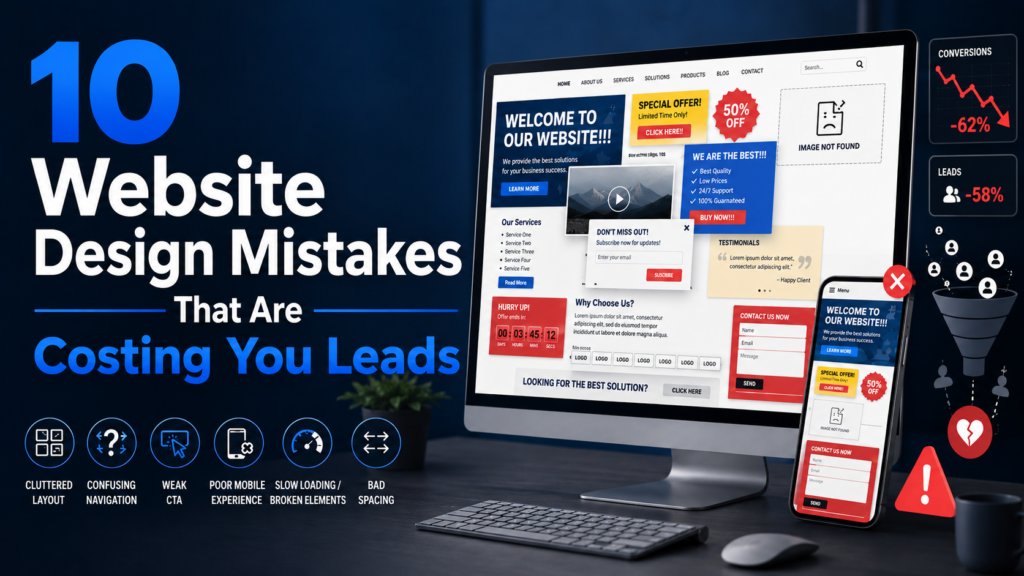
If your website isn’t converting visitors into leads, chances are one or more website design mistakes are to blame. At AM Digitalz, we believe that small design issues can quickly add up — reducing trust, frustrating users, and creating friction that stops visitors from taking action. This checklist-style guide walks through the 10 most common website design mistakes and gives quick fixes you can apply right away to improve user experience, increase conversions, and recover lost leads.
Use this as an audit checklist for your site—tick each item off as you make improvements. These tips are practical for business owners, startups, and service-based companies looking to boost conversions and generate more website leads.
1. Slow loading speed
Why it matters: Slow pages increase bounce rates and harm conversions. Visitors expect near-instant load times—each extra second costs you attention and trust.
Quick fixes:
- Compress images (use WebP or appropriately sized JPEG/PNG).
- Enable browser caching and use a CDN for global delivery.
- Minify CSS and JavaScript and defer non-critical scripts.
- Choose a quality hosting plan—shared, cheap hosting can be a hidden bottleneck.
2. Weak or unclear calls-to-action (CTA)
Why it matters: If visitors don’t know what to do next, they’ll leave. A weak CTA loses momentum even when everything else looks good.
Quick fixes:
- Use clear, benefit-focused CTA text (e.g., “Get a Free Estimate” vs. “Submit”).
- Make CTAs visually distinct—contrast color, size, and whitespace matter.
- Place primary CTA above the fold and repeat it at logical points on the page.
3. Poor mobile design
Why it matters: Most traffic is mobile. A site that looks great on desktop but is hard to use on a phone will lose a large portion of potential leads.
Quick fixes:
- Use a responsive theme and test key user flows on multiple devices.
- Increase tap target sizes for buttons and links; avoid tiny fonts.
- Simplify navigation and forms for mobile—remove unnecessary fields.
4. Confusing navigation
Why it matters: Visitors should reach their goal in a few clicks. Poor navigation hides services, pricing, and contact options—killing conversions.
Quick fixes:
- Keep the main menu simple—5–7 clear items is a good rule of thumb.
- Use descriptive labels (e.g., “Our Services” vs. generic “Solutions”).
- Add a search field and clear contact entry points in the header and footer.
5. No trust signals
Why it matters: Visitors need proof you’re credible. Without trust signals, businesses look risky—especially for services and higher-ticket purchases.
Quick fixes:
- Display client logos, certifications, and industry memberships where relevant.
- Add secure site indicators (HTTPS), privacy policy links, and clear contact info.
- Show case studies or project highlights that demonstrate real results.
6. Poor copy and unclear value proposition
Why it matters: Great design can’t fix weak messaging. Visitors decide in seconds whether your offering is relevant—your headline and subheadline must communicate value immediately.
Quick fixes:
- Rewrite your hero headline to state who you help and how (benefit-oriented).
- Use short paragraphs, bullets, and subheadings to improve readability.
- Focus on outcomes and benefits rather than features alone.
7. Overly long or broken forms
Why it matters: Forms are conversion points. Long, clunky, or error-prone forms lead to form abandonment and lost leads.
Quick fixes:
- Ask only for essential information—name, email, phone, and one qualifying question.
- Use inline validation and helpful error messages to reduce friction.
- Offer alternative contact methods (click-to-call, chat, or booking calendar).
8. Weak hero section
Why it matters: The hero section is your digital welcome mat. If it’s generic or cluttered, visitors won’t stay to explore.
Quick fixes:
- Use a concise headline, supporting subheadline, and a single strong CTA.
- Pair the copy with a relevant, high-quality image or simple illustration.
- Avoid auto-playing videos or distracting animations in the hero area.
9. No testimonials or social proof
Why it matters: Testimonials reduce perceived risk and increase trust. Without them, prospects have no social proof that you deliver results.
Quick fixes:
- Add short, specific testimonials with names, roles, and photos where possible.
- Feature a rotating or curated selection on service pages and the homepage.
- Use snippets from case studies to back up claims with measurable outcomes.
10. No tracking or conversion measurement
Why it matters: If you can’t measure leads and user behavior, you can’t improve. Many websites leak leads because no one knows where visitors drop off.
Quick fixes:
- Install analytics (e.g., Google Analytics or equivalent) and set up goals or events for form submissions and clicks.
- Use heatmaps and session recordings to identify UX friction areas.
- Implement conversion tracking for paid campaigns to calculate ROI and optimize traffic sources.
How to run this checklist as a quick website audit
Run through this checklist in 30–60 minutes for a basic audit: test load speed, navigate on mobile, click through CTAs, submit a form, and verify tracking. Record issues and prioritize fixes by potential impact (start with speed, CTAs, and tracking).
For service-based businesses and startups, small changes often deliver outsized results. For example, simplifying a contact form and adding two clear CTAs can increase inquiries dramatically without a redesign.
Conclusion — Fix these website design mistakes and recover lost leads
Website Design Mistakes like slow speed, weak CTAs, and missing trust signals quietly cost you leads every day. Use this checklist to identify and fix the highest-impact issues first. Regularly monitoring performance and user behavior ensures improvements stick—and that your site continues to convert visitors into customers.
If you’d like a professional second look, AM Digitalz offers targeted website audits for small businesses and service providers. A short audit will pinpoint the biggest conversion leaks and provide a prioritized action plan you can implement immediately.
Ready to stop losing leads? Request a website audit and start converting more visitors into customers.